

websitechat.ai
How to Train an AI Chatbot on Your Website Content
Most teams already have the answers customers ask for. They sit on product pages, service pages, FAQs, docs, pricing, and a handful of PDFs that never became web pages.
The phrase “train an AI chatbot” still sounds like a machine-learning project. Classic model training or fine-tuning can mean collecting datasets, writing examples, picking a model, renting GPUs, evaluating, and retraining. That work needs ML skills. WebsiteChat users do not do that.
For WebsiteChat, training the chatbot means giving it the right business knowledge and keeping that knowledge current. There are two ways to do it:
- Crawl published website pages.
- Upload PDF documents when the site is missing detail.
You are not teaching a base model from scratch. You are building a company-specific knowledge source the chatbot can retrieve from when a visitor asks a question.
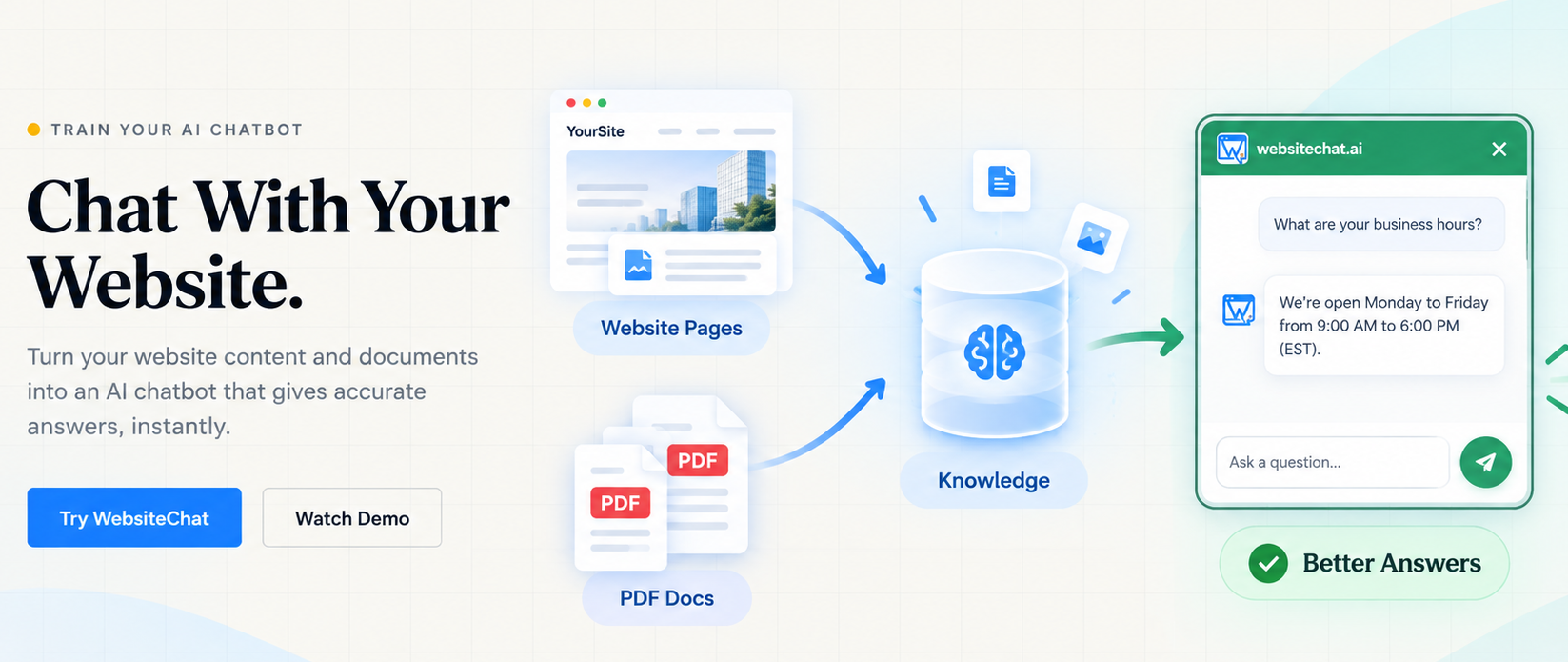
Website → crawl pages → knowledge → AI answers visitor questions.
PDF documents → add missing or detailed knowledge → better answers on those topics.
If you want a short definition of this product type, see what a website chatbot is.
What does “training an AI Chatbot” actually mean?
Traditional training changes the model. You feed examples until the model’s weights shift. Fine-tuning is a lighter version of the same idea: you adapt behavior or style, not a fresh encyclopedia of next week’s prices.
Giving a chatbot company knowledge is a different job. The model stays a general language model. Your pages and PDFs become the source it looks at before it replies.
For most businesses the useful questions are:
- Does the chatbot have the right facts?
- Are those facts current?
- Is there enough detail for a real customer question?
- Is something important missing from the public site?
Those are knowledge problems, not GPU problems.
A second distinction helps when someone asks for “custom data.” Custom data does not have to be a labeled machine-learning set. For a website chatbot, custom data is the company’s own pages and documents: what you sell, what it costs, who you serve, and what happens after someone buys. If that material is clear, the chatbot has something to retrieve. If it is missing, no amount of model configuration invents a safe answer.
Method 1: Train the chatbot from your website
The primary WebsiteChat workflow starts with a public URL. You add the site. WebsiteChat crawls published HTML and prepares that text as knowledge.
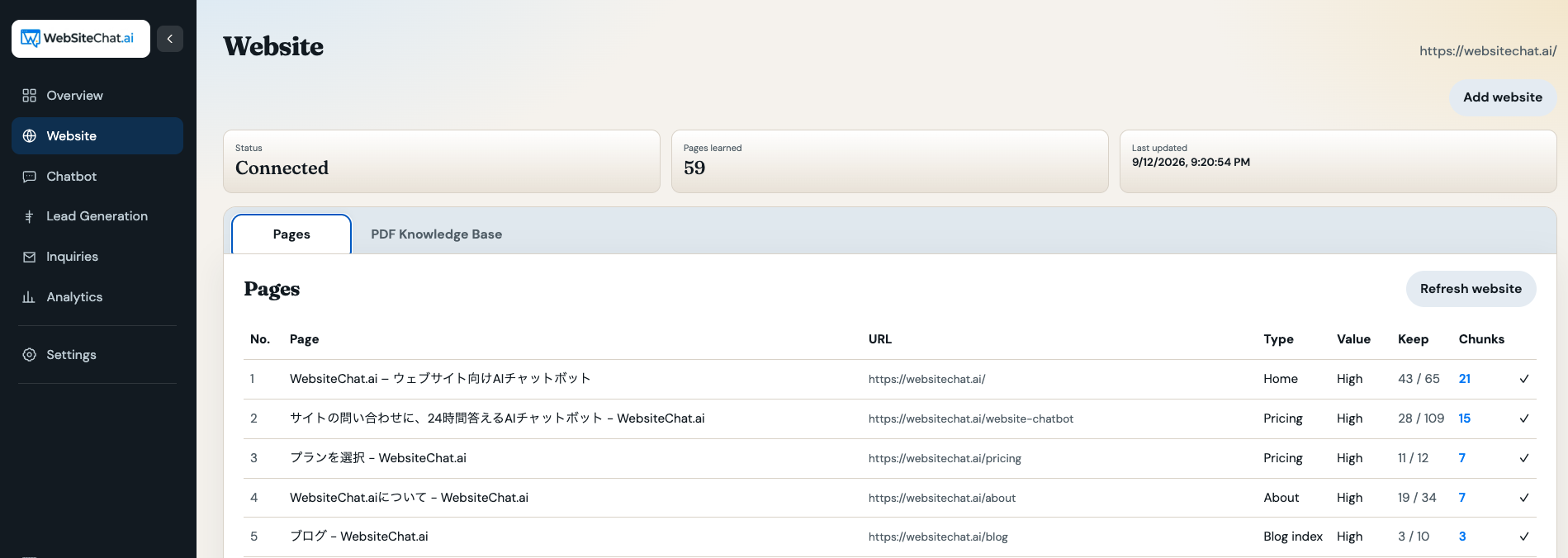
Pages that usually help:
- Homepage
- Product and service pages
- Pricing
- FAQs
- Support docs and guides
- Company and policy pages
- Other public pages that answer “what / where / how much / how”
This is useful because you already maintain that content. You do not rewrite it as labeled training examples.
Typical sequence:
- Add the website in WebsiteChat.
- Let it crawl the relevant public pages.
- Confirm those pages are available to the chatbot.
- Ask test questions in the console.
- Note incomplete or wrong answers.
- Fix the source page, then recrawl.
Website → crawl → knowledge → visitor question → answer grounded in that knowledge.
After the crawl, look at the page list before you go live. Confirm that pricing, services, and contact paths are present. Drop or ignore thin pages that only repeat a slogan. If two URLs disagree—old “$49” next to new “$79”—the chatbot may surface either one.
Crawling reads published pages. Drafts, CMS editor data, and private admin screens are not included just because you use WordPress or another builder. Setup details live in the WebsiteChat setup guide.
Method 2: Add knowledge with PDF documents
The public website rarely holds every fact a customer will ask. Specs, install steps, warranties, and price lists often live in files.
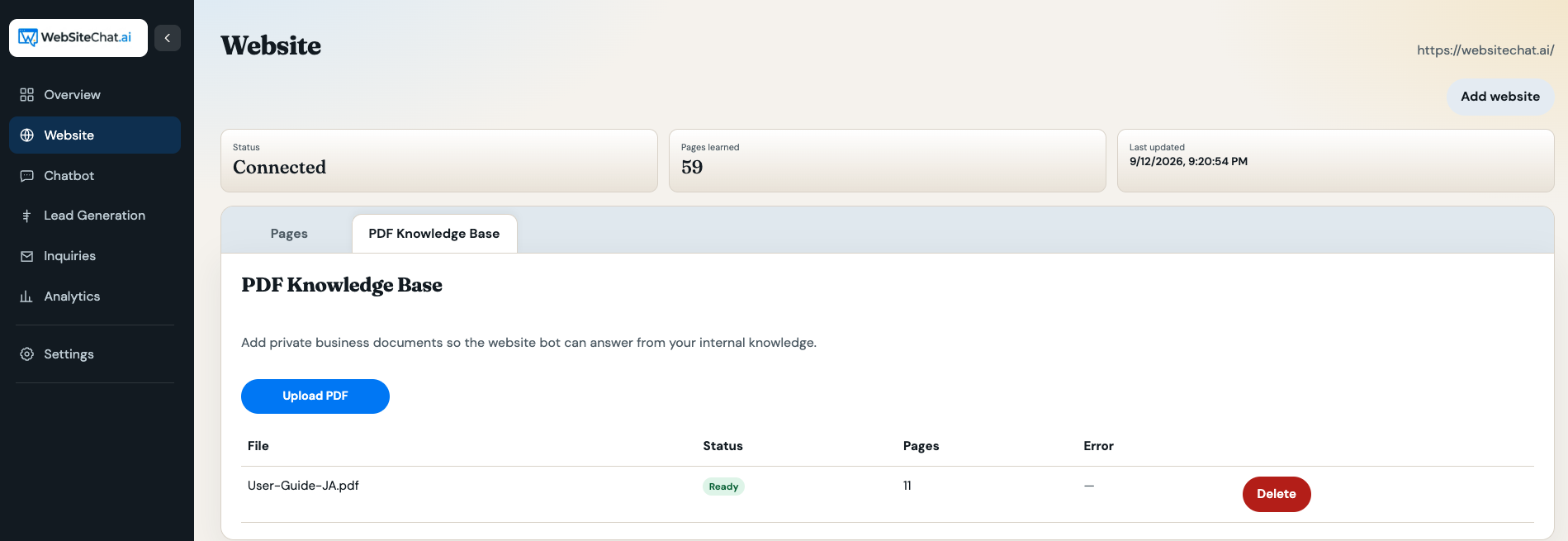
Supported plans can add ordinary text-based PDFs, for example:
- Product specifications
- Service or installation manuals
- Price lists and catalogs
- Brochures
- Technical documentation
- Longer FAQs and policies
- Other customer-facing reference documents
Website pages are the public baseline. PDFs add depth.
A renovation contractor may describe kitchen and bath work on the site, while material specs, warranty wording, and install steps sit in PDFs. Upload those files if visitors should hear that detail in chat.
A manufacturer may publish short product pages and keep full catalogs as PDFs. The chatbot can use both: the page for the overview, the catalog for dimensions and options.
Use PDFs when the detail is real, customer-facing, and too long or too rarely updated to live as a normal web page. A 40-page catalog is a poor homepage and a good knowledge file.
Limits that matter in practice: the file must be a real PDF with selectable text. Image-only scans are not read. Charts and complex tables may not come through cleanly. Do not upload confidential, personal, or internal-only material unless it is appropriate for website visitors. Anything in the knowledge base can be used in a public chat reply.
Website content and PDFs work better together
Treat the two sources as one knowledge set.
Website
├─ Products
├─ Services
├─ Pricing
├─ Company information
└─ FAQs

PDFs
├─ Detailed specifications
├─ Manuals
├─ Catalogs
├─ Policies
└─ Extra FAQs
        ↓
WebsiteChat knowledge
        ↓
Visitor questions
        ↓
More complete answers
The site does not have to publish every paragraph as a web page. If a fact should stay in a catalog or a policy packet, a PDF can fill that gap—as long as you are willing for the chatbot to use it with customers.
When both sources exist, keep them aligned. If the website says “delivery in three days” and last year’s PDF says five, visitors will get mixed answers. Update or replace the older file. The chatbot cannot know which document you meant to retire.
How to improve chatbot answer quality
1. Improve the source
If the page is vague, outdated, or contradicts another page, the chatbot cannot invent a clean company fact. Fix the source first.
2. Make important facts explicit
Weak: “Contact us for delivery.”
Better: “We currently deliver within Fukuoka Prefecture. Delivery outside Fukuoka depends on order size.”
The second sentence is usable knowledge. The first is a dead end.
3. Add missing information with PDFs
If a fact should not become a marketing page, add it as a PDF instead of hoping the model guesses.
4. Test real customer questions
Use the console Test tab with questions people already send by form or phone.
- “How much does installation cost?”
- “Do you support customers outside Fukuoka?”
- “What’s included in the basic plan?”
- “How long does delivery take?”
- “Can I cancel after signing up?”
5. Look for knowledge gaps
If an important question fails, ask whether the answer exists in a crawled page or an uploaded PDF. If it does not, add the source. Do not try to prompt your way around a missing policy. The same idea shows up in AI chatbots for customer support: the bot is only as good as the material you give it.
Good knowledge vs poor knowledge
| Poor knowledge | Better knowledge |
|---|---|
| “Our service supports many businesses.” | “The service is for small and medium-sized businesses and works on English and Japanese websites.” |
| “Installation is fast.” | “WebsiteChat is installed by adding a JavaScript snippet to the website.” |
| “We have flexible pricing.” | “Starter includes one website. Higher plans add more sites and monthly question volume.” |
| “See our FAQ.” | “Returns are accepted within 14 days if the item is unused.” |
Specific, factual sentences beat slogans. Marketing copy that avoids numbers and conditions gives the chatbot nothing solid to retrieve.
Write for retrieval the same way you would write for a new hire’s first week: names, areas, units, and exceptions. “We install heat pumps in Fukuoka City and surrounding cities listed on the service-area page” is usable. “We cover a wide region” is not.
Do you need to fine-tune an AI model?
For most website chatbot work, no.
Fine-tuning changes how a model behaves—tone, format, or a narrow skill. Knowledge retrieval gives the model current company facts. Prices, hours, and warranty text change more often than you want to retrain a model.
WebsiteChat is built for the second job: crawl the site, add PDFs where the site is thin, and answer from that knowledge.
How often should you update chatbot knowledge?
Update knowledge when the business changes:
- New or discontinued products
- Price changes
- New hours or coverage area
- Policy revisions
- Service changes
- Replaced PDF catalogs or manuals
Stale sources produce stale answers. After you edit key pages, use Refresh website so the crawl matches the live site. Some plans also recrawl automatically. After you replace a PDF, upload the new file and confirm it processed.
A practical training workflow
- Crawl the website.
- Test common customer questions.
- Mark missing or wrong answers.
- Improve the website page when the fact should be public.
- Upload PDFs for extra detail.
- Test again.
It is a loop, not a launch checkbox:
Add knowledge → test → find gaps → improve knowledge → test again.
Example: a renovation company
A Fukuoka renovation firm publishes a company overview, a services list, a service-area page, a basic pricing page, and a contact form. That is enough for first-pass questions about what they do and where they work.
They also have PDFs: service conditions, the install process, maintenance notes, and warranty terms.
| Visitor question | Likely source |
|---|---|
| “Do you renovate bathrooms in Fukuoka?” | Service-area and services pages |
| “What’s a typical kitchen starting price?” | Pricing page, if a range is written there |
| “How long is the workmanship warranty?” | Warranty PDF |
| “What happens in week two of a full remodel?” | Installation-process PDF |
| “Can I email the project manager directly?” | Contact page—or a gap, if that name is not published |
If the warranty question fails, the fix is to upload the warranty PDF or put the term on a public page—not to “train the model” on a spreadsheet of chat logs.
The same pattern applies to other service businesses: HVAC, clinics, agencies, and professional practices. The site carries the offer and the next step. The PDF carries conditions, process, and exceptions. Chat is useful when those two layers are both present and both current.
Train your website chatbot with the knowledge you already have
WebsiteChat can crawl the site you already run and use PDFs to cover what the pages leave out. That is how you get a useful website chatbot without training your own model. Answers will still be only as good as the sources. There is no promise of perfect accuracy, and nothing “learns everything” on its own.
Frequently Asked Questions
- How do I train an AI chatbot on my website?
- Add the public website URL so WebsiteChat can crawl the pages. Review the crawled list, test real customer questions in the console, then add or fix source content where answers are thin.
- Do I need to train my own AI model?
- No. For a website chatbot, you supply company knowledge. You do not collect datasets or fine-tune a model.
- Can a chatbot learn from my website automatically?
- WebsiteChat crawls published pages and uses that text as knowledge. It does not read unpublished drafts or admin screens. After you change important pages, recrawl so the chatbot sees the update.
- Can I train a chatbot using PDF files?
- Yes, on plans that include a PDF knowledge base. Upload text-based PDFs such as manuals, catalogs, or policies to cover details that are missing from the website.
- What information should I give an AI chatbot?
- Give it the facts visitors ask for: services, pricing, policies, hours, coverage area, and how to get in touch. Prefer explicit statements over marketing slogans.
- How can I improve chatbot answer accuracy?
- Fix the source. Make facts explicit on the page or in a PDF, remove contradictions, then test again. Do not expect the model to invent a missing policy.
- Does updating my website improve chatbot answers?
- It improves answers after WebsiteChat recrawls those pages. A live site edit is not enough by itself if the knowledge still points at the old crawl.
- Can website pages and PDFs be used together?
- Yes. Pages are the public baseline. PDFs add specifications, manuals, and other detail that you may not want as standalone web pages.
Add this chat to your website
Start a 14-day trial, or compare plans if you already know what you need.